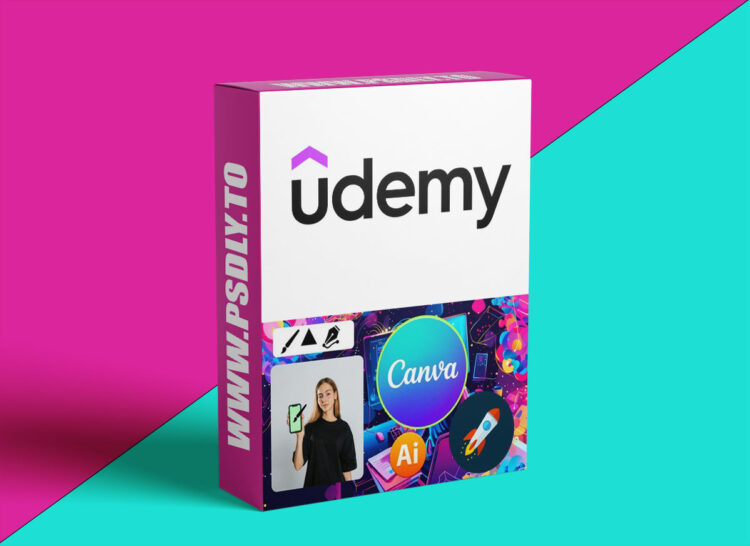
| File Name: | Canva Bootcamp: Basics to Pro Plus AI and 8 Real Projects |
| Content Source: | https://www.udemy.com/course/canva-bootcamp-basics-to-pro-plus-ai-and-100-real-projects/ |
| Genre / Category: | Other Tutorials |
| File Size : | 11.2 GB |
| Publisher: | Vapa Academy |
| Updated and Published: | March 10, 2026 |
This course is a complete guide to mastering Canva, the most popular design tool for creating professional graphics without needing prior design experience. You will start with the fundamentals and gradually progress to advanced techniques, learning how to create stunning visuals for social media, presentations, marketing materials, and more. By combining practical lessons with hands-on projects, you’ll gain the skills and confidence to design like a professional.
Throughout the course, you’ll also explore Canva’s AI-powered tools, which make designing faster and smarter. These tools help you generate ideas, create layouts, edit images, and even produce videos with ease. You’ll learn how to work efficiently, take advantage of templates, and apply modern design principles that make your content stand out. Whether your goal is to grow your personal brand, enhance your business, or start offering freelance design services, this course equips you with everything you need.
To ensure practical learning, the course includes 8 real-world projects. These exercises cover a wide range of design scenarios, allowing you to apply your skills immediately and build a portfolio that demonstrates your capabilities. From social media posts and banners to presentations and marketing flyers, each project is designed to reinforce your understanding and boost your confidence.
Key Features:
- Learn Canva from absolute beginner to advanced level
- Create professional graphics for social media platforms like Instagram, YouTube, and Facebook
- Design presentations, posters, flyers, and marketing materials
- Use AI-powered tools to generate designs, content, and ideas faster
- Edit and enhance photos and videos directly within Canva
- Apply modern design principles, typography, and layout techniques
- Work on 8 real-life design projects to practice and improve
- Build a portfolio of practical designs ready for personal or professional use
- Increase efficiency using templates, elements, and smart tools
By the end of this course, you’ll have the ability to transform your ideas into polished designs, create content that looks professional, and leverage AI tools to enhance your workflow. You’ll gain the knowledge, practice, and confidence to tackle any design project, whether for personal, business, or freelance purposes.

DOWNLOAD LINK: Canva Bootcamp: Basics to Pro Plus AI and 8 Real Projects
Canva_Bootcamp_Basics_to_Pro_Plus_AI_and_8_Real_Projects.part01.rar – 1000.0 MB
Canva_Bootcamp_Basics_to_Pro_Plus_AI_and_8_Real_Projects.part02.rar – 1000.0 MB
Canva_Bootcamp_Basics_to_Pro_Plus_AI_and_8_Real_Projects.part03.rar – 1000.0 MB
Canva_Bootcamp_Basics_to_Pro_Plus_AI_and_8_Real_Projects.part04.rar – 1000.0 MB
Canva_Bootcamp_Basics_to_Pro_Plus_AI_and_8_Real_Projects.part05.rar – 1000.0 MB
Canva_Bootcamp_Basics_to_Pro_Plus_AI_and_8_Real_Projects.part06.rar – 1000.0 MB
Canva_Bootcamp_Basics_to_Pro_Plus_AI_and_8_Real_Projects.part07.rar – 1000.0 MB
Canva_Bootcamp_Basics_to_Pro_Plus_AI_and_8_Real_Projects.part08.rar – 1000.0 MB
Canva_Bootcamp_Basics_to_Pro_Plus_AI_and_8_Real_Projects.part09.rar – 1000.0 MB
Canva_Bootcamp_Basics_to_Pro_Plus_AI_and_8_Real_Projects.part10.rar – 1000.0 MB
Canva_Bootcamp_Basics_to_Pro_Plus_AI_and_8_Real_Projects.part11.rar – 1000.0 MB
Canva_Bootcamp_Basics_to_Pro_Plus_AI_and_8_Real_Projects.part12.rar – 225.6 MB
FILEAXA.COM – is our main file storage service. We host all files there. You can join the FILEAXA.COM premium service to access our all files without any limation and fast download speed.